Acerca del resumen del proyecto
Tabla de contenido
Resumen
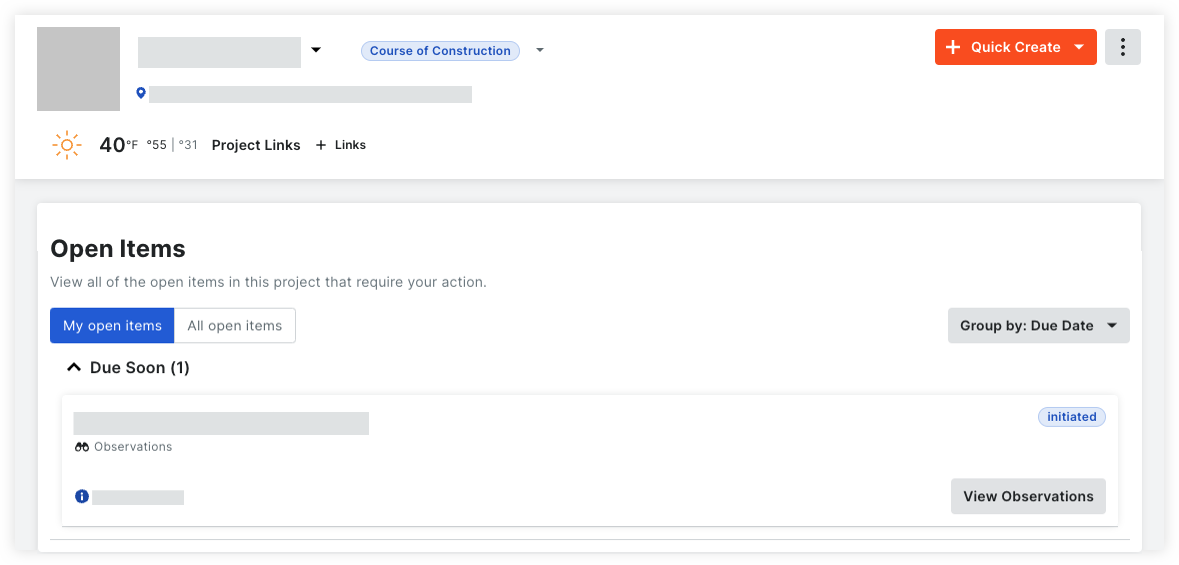
Diseñada para reemplazar la página de inicio del proyecto heredada de Procore, la página Descripción general del proyecto se creó para permitir a los usuarios de Procore ver información relevante, riesgos superficiales y tomar medidas en tareas importantes del proyecto, todo en un solo lugar en función de sus necesidades individuales.
|
El resumen del proyecto ofrece:
|
 |
|
|
Consideraciones
Detalles
Con el resumen del proyecto, puede realizar las siguientes acciones:
- Ver y gestionar la información del proyecto
- Crear elementos rápidamente
- Obtener información del proyecto
- Gestionar enlaces de proyectos
- Ver elementos abiertos
Ver información del proyecto
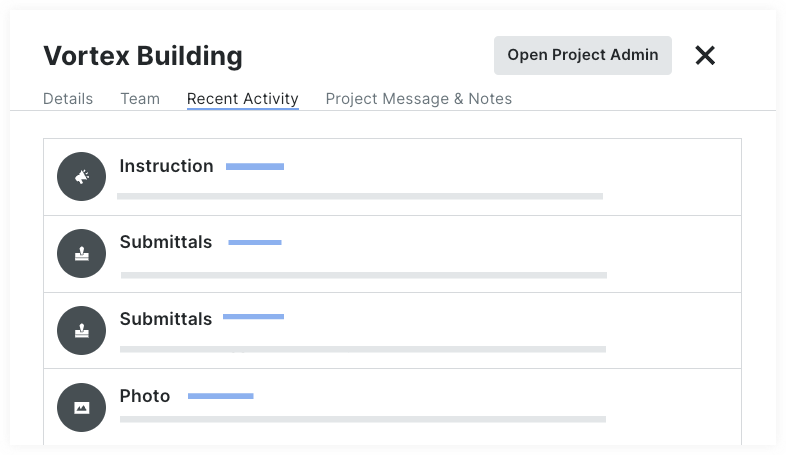
Ver los detalles del equipo de proyecto, los elementos abiertos y la actividad del proyecto desde el lugar.
- Detalles del proyecto. Vea y administre rápidamente la información básica de su proyecto, como el nombre, la descripción, el logotipo y el valor total del proyecto, sin tener que ir a la herramienta Administrador.
- Equipo de proyecto. Ver la lista del equipo de proyecto, así como su información de contacto y función en el proyecto.
- Mensaje y notas del proyecto. Crear un mensaje del proyecto para compartir detalles importantes con su equipo.

Consulte los tutoriales de descripción general del proyecto.
Creación rápida de elementos
Cree rápidamente RFI, Submittals, entradas de Registro diario y más directamente desde la página Descripción general de su proyecto.
Elementos disponibles para creación rápida:
- Eventos de cambio
- Registro diario
- Incidente
- Inspección
- Observación
- Lista de repasos
- RFI
- Submittal
- Tarea
- Hoja de horas
Consulte Creación rápida de un elemento.
Obtener estadísticas del proyecto
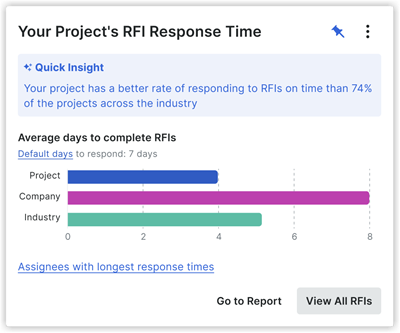
Identifique y aborde fácilmente los riesgos clave del proyecto a través de conocimientos proactivos y mejore la eficiencia del proyecto. Actualmente, hay conocimientos específicos para el Registro diario, las RFI y los submittals.
 |
 |
 |
Consulte Ver perspectivas del proyecto.
Ver elementos abiertos
Vea sus elementos abiertos, así como los elementos abiertos de su proyecto que están asignados a otros. Solo podrás ver los detalles de los elementos a los que tengas acceso. Consulte Ver elementos abiertos.

Gestionar enlaces de proyectos
Puede agregar enlaces que aparecerán en la parte superior de la página Resumen del proyecto para proporcionar un fácil acceso a las páginas o archivos visitados con frecuencia por su equipo. Consulta Añadir, editar o eliminar enlaces del proyecto.

Ver actividad del proyecto
Vea una lista de elementos en Procore con la actividad más reciente. Haga clic en el vínculo para abrir el elemento y ver la información actual. Consulte Ver actividad reciente del proyecto.
Preguntas habituales
What does the project Overview page Look Like compared to the Legacy Project Home page?
Your project's home page might look different depending on your company's tool set, your permissions, and other configurations.
|
New |
Legacy |

What's the difference between the legacy project home page, and the new project overview?
|
Function |
New Project Overview |
Legacy Project Home |
| Project Setup Guide |
|
|
|
Project Name |
|
|
|
Project Team |
|
|
|
Project Overview |
(All Open Items) |
|
|
My Open Items |
|
|
| All Open Items |
|
|
|
Recently Changed Items |
|
|
|
Project Weather |
|
|
|
Project Links |
|
|
|
Update Project Information
|
|
|
|
Project Milestones |
|
|
| Today's Schedule |
|
|