Añadir elemento de reunión (Android)
Objetivo
Añadir elemento a una reunión usando la aplicación Procore en un dispositivo móvil Android.
Contexto
Temas a considerar
Pasos
- Vaya a la herramienta Reuniones utilizando la aplicación Procore en un dispositivo móvil Android.
- Pulse la reunión a la que desee añadir un elemento.
- Pulse la pestaña Empresa.
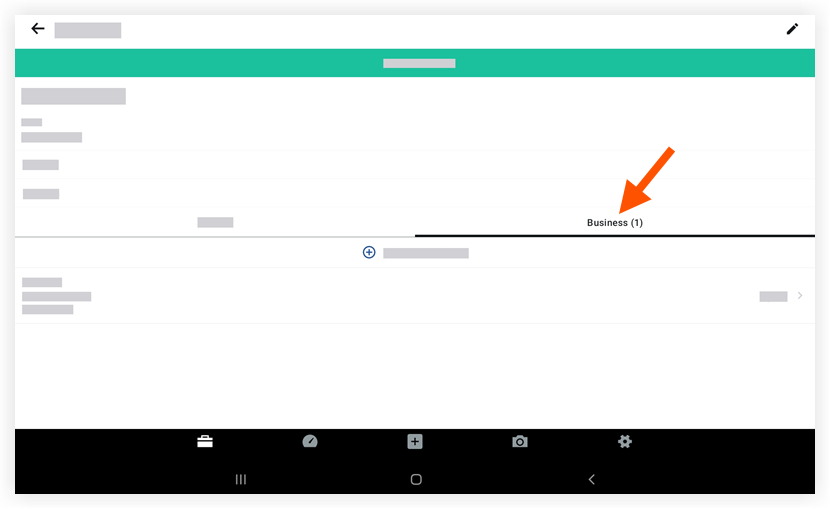
- Pulse + Añadir elemento de reunión.
- Pulse para introducir información en los siguientes campos:
- Título: introduzca un título para el nuevo elemento.
- Fecha: use el calendario para establecer una fecha límite para el elemento.
- Estado: elija un estado para el elemento.
- Categoría: pulse para seleccionar una categoría.
- Archivos adjuntos: pulse para añadir un archivo adjunto desde el dispositivo o tomar una nueva foto con la cámara del dispositivo.
- Asignación: pulse para seleccionar una o más personas asignadas.
- Descripción: introduzca una descripción para el elemento.
- Pulse Guardar.
Consulte también
If you would like to learn more about Procore's meeting minutes management software and how it can help your business, please visit our construction meeting minutes software product page  .
.
.